Back to the main page

Case study · University of Catania

Computing Lab in Midwifery: a course on databases and app development, built by conversation

Seven lab sessions, 73 modules, 21 hours, for third-year students of the BSc in Midwifery. They learn to design a relational database, to populate and query it with SQL and to build a small web application on top of it, working with data of various kinds. The working tools are SQL and Oracle APEX; the course is published on the new Studium, the University of Catania's Moodle portal. MCPCA and Moodlecraft made it possible to produce its lessons, exercises and exam papers: it is the first complete course produced with these tools.

The details

University
University of Catania
Department
General Surgery and Medical-Surgical Specialties
Degree programme
Midwifery (qualifying for the profession of midwife), L/SNT1
Course unit
Laboratorio di Informatica (1001448), third year
Academic year
2025/2026
Workload
Seven lab sessions, 21 hours, attendance required
Assessment
Multiple-choice quiz and SQL exercises on healthcare data
Published on
Studium, the university's Moodle installation
Built with
MCPCA and Moodlecraft
Teacher
Antonio S. Calanducci, PhD

The starting point

Databases inside a healthcare degree

By the end of the course, a student must be able to analyse a real information need in a healthcare professional setting and to represent it, query it and evaluate it. This is data they will work with every day: patient records, the register of births, staff rotas. Students on the course will not become computer scientists, and the syllabus requires no programming background: they must be able to discuss data with the people who design the applications, and to retrieve the information they need on their own.

The course is taught in person, in a computer lab, and is mostly practical: short explanations followed by individual exercises in Oracle APEX. Moodle provides the support: written lessons, screen recordings with transcripts, exercises. Preparing all that material is the work that usually does not get done, because building and publishing it on Moodle by hand takes too many hours and too many steps: at most, the slides get uploaded.

With MCPCA I described the intended result in words and obtained it in Moodle. With Moodlecraft the same course became a folder of text files under git: next year it is reapplied by changing the dates and the dataset, without starting over.

7lessons
73published pages
32exercises and solutions
80questions in the exam bank
2exam papers
35scripts marked

Figures taken from the course on 27 July 2026, the last time its structure was mapped.

How it was built

From slide deck to exam paper, step by step

Each step is either a conversation with the assistant or a Moodlecraft command. The labels name the plugin tools used at that step.

  1. From slides to lessons

    Each lesson's slides became Markdown pages on Moodle: one topic per page, with tables, formatted code examples and summaries. Every lesson opens with a clickable index listing its pages in the order they should be followed.

    create_sectioncreate_pageupdate_page
  2. From videos to pages with an index

    The recorded lessons had transcripts. From those the assistant derived an index with timestamps and the text of each section: not the raw transcript, but the content rewritten and condensed, with the video always at the top of the page.

    get_page_contentupdate_page
  3. A storyline for the exercises

    Lesson II is a detective case: a table of 500 suspects of various crimes and a series of clues to be turned into queries, narrowing the list down to a single name. Fifteen exercises and seventeen solutions, one page each, created alongside the text of the lesson.

    create_page
  4. The clinical dataset

    For the exam exercises I used a dataset from the midwifery domain: patients, births, staff. The SQL file to work on is uploaded to the course as a downloadable resource, so everyone recreates the tables in their own Oracle APEX environment.

    create_resourcecore_files_upload
  5. The question bank

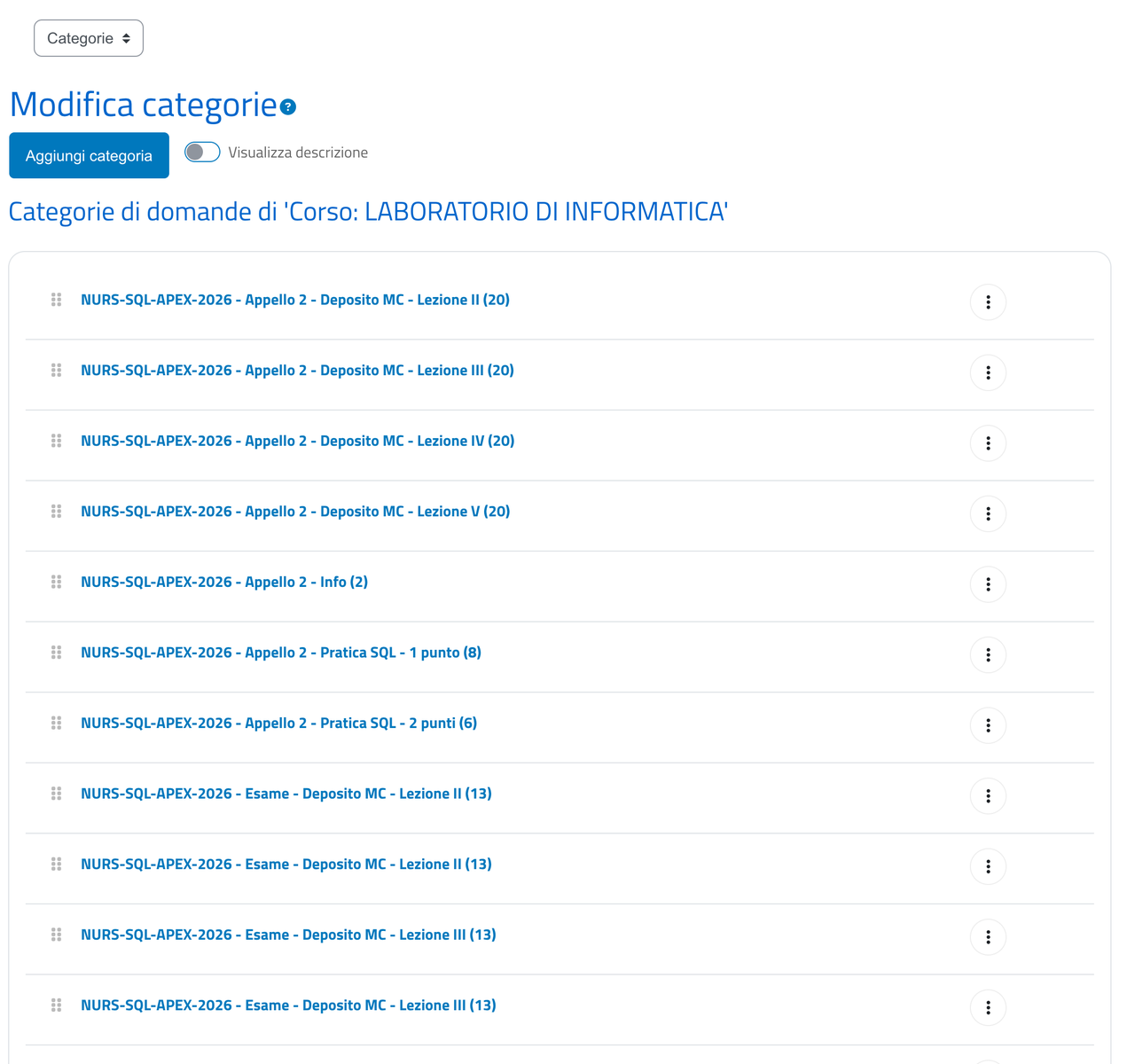
    One group of questions per lesson: twenty multiple-choice questions each, with written feedback for every wrong answer. A fresh set is prepared for every exam session, so anyone resitting does not meet the same questions again. They stay in the course bank and can be read back and corrected by conversation, without opening Moodle's editor.

    create_question_categorycreate_questionlist_questionsupdate_question
  6. The exam papers

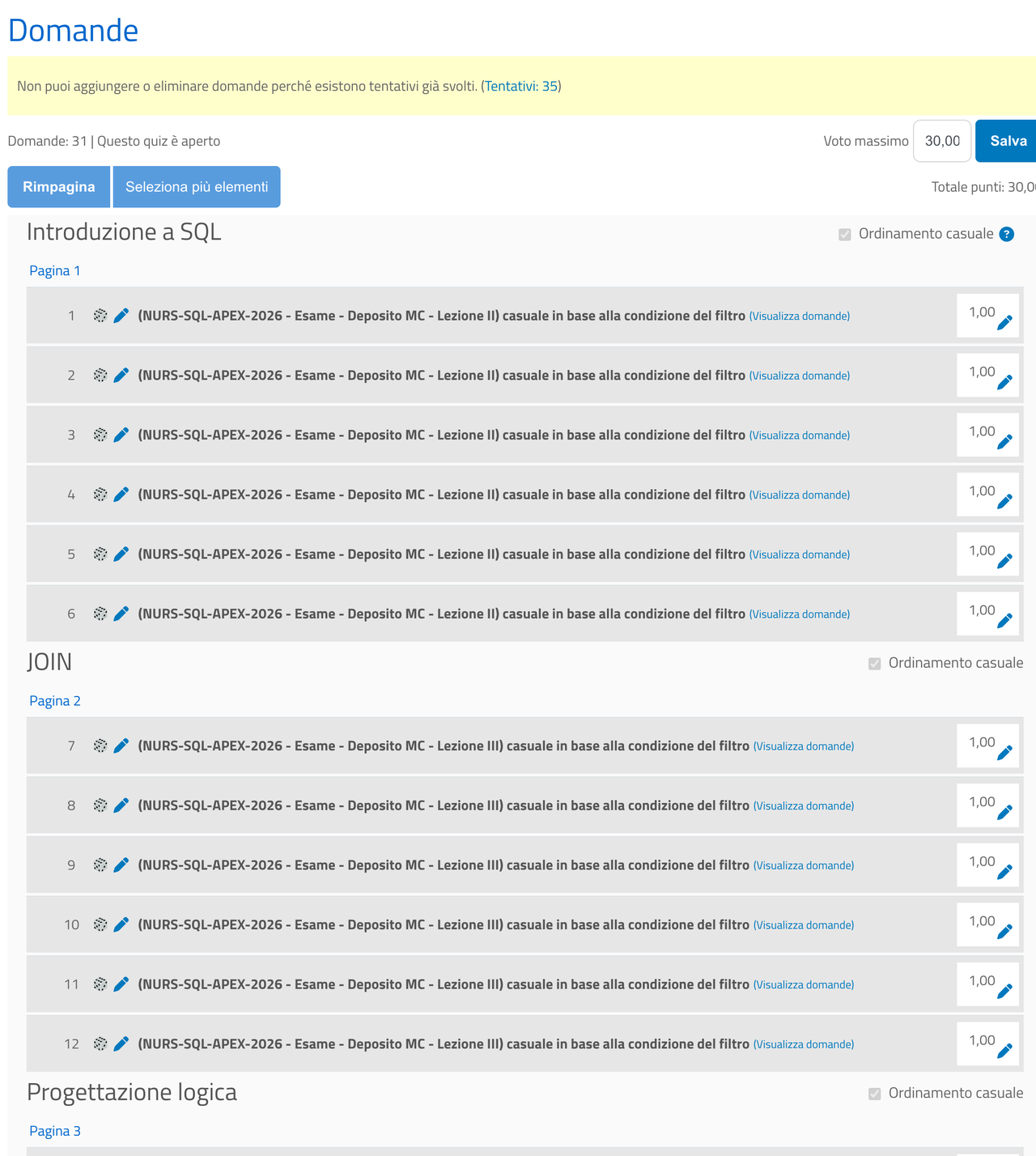
    Each paper draws twenty-two questions at random from the four banks — six from Lesson II, six from III, five from IV, five from V — and adds four practical exercises to be solved in Oracle APEX. Thirty marks in total and a pass at 60%, that is eighteen, as the syllabus prescribes; one attempt, one hour. Anyone who prefers can hand in a project instead: a small data-management application built in APEX.

    create_quizcreate_quiz_sectionadd_random_questions_to_quizadd_question_to_quiz
  7. The marking

    Moodle marks the multiple-choice questions on its own, with feedback shown to the students. For the practical exercises I exported the answers to a spreadsheet, assessed them one by one with a mark and a comment, and imported them back into the gradebook: thirty-five scripts, eight answers each. The export and re-import are currently handled by a project script.

    mod_quiz_get_user_attemptsmod_quiz_get_attempt_review
  8. The syllabus

    The course unit description published by the department — intended learning outcomes, the contents of the seven lessons, assessment methods, reading list — also came out of the same material, by reading the published course instead of rewriting everything into a form: through MCPCA the AI assistant read the entire course and drafted the text, which was then published on SmartEdu by a dedicated script.

    core_course_get_contentsget_page_content
  9. All of it versioned

    The course is a folder under version control with git: plan shows what would change, apply applies only the differences.

    moodlecraft planmoodlecraft apply

Screens

The course as published

Screens taken from the real course on the university platform.

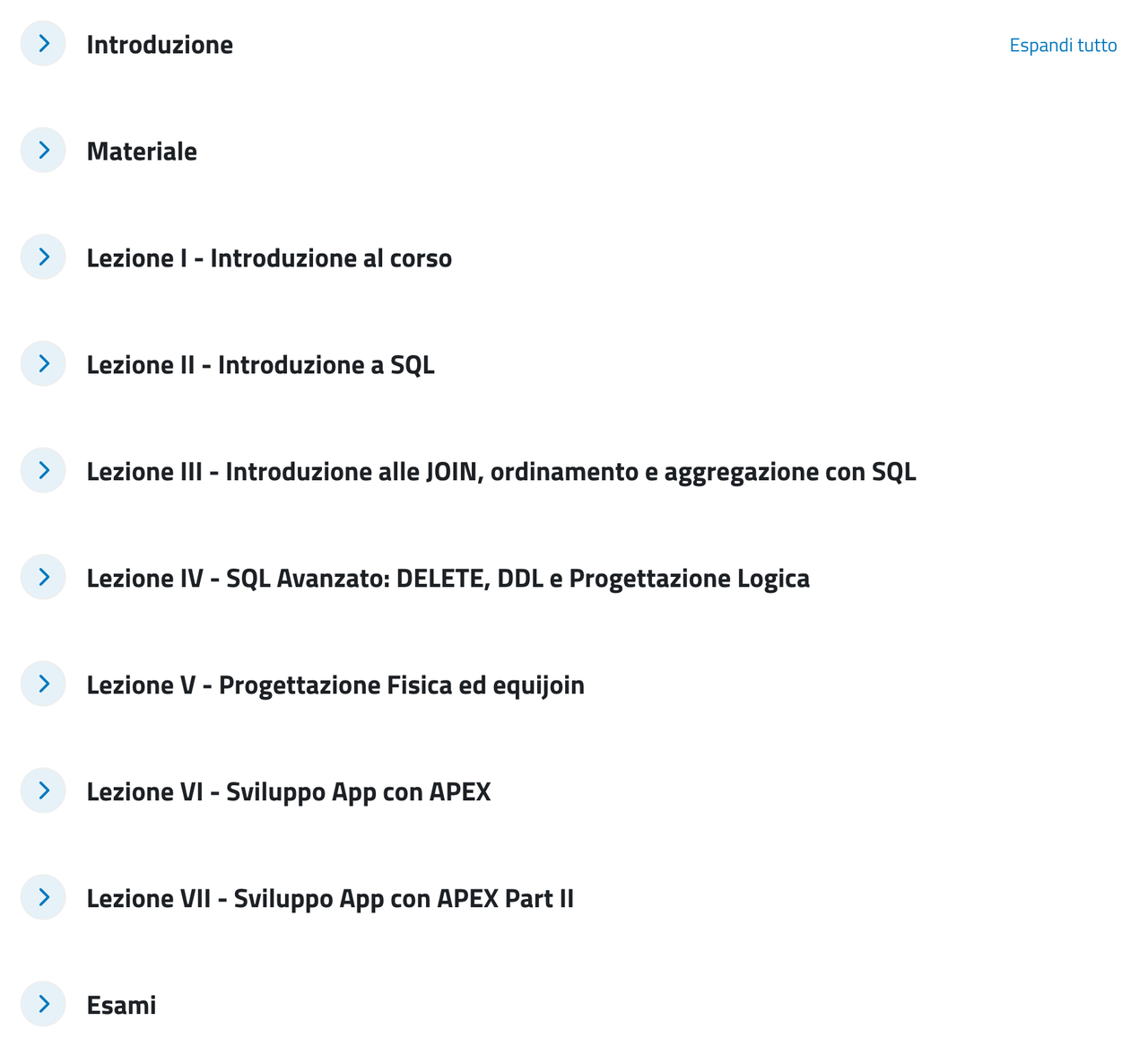
Course home page with the list of sections
The course home: seven lessons plus the materials and the exam section.
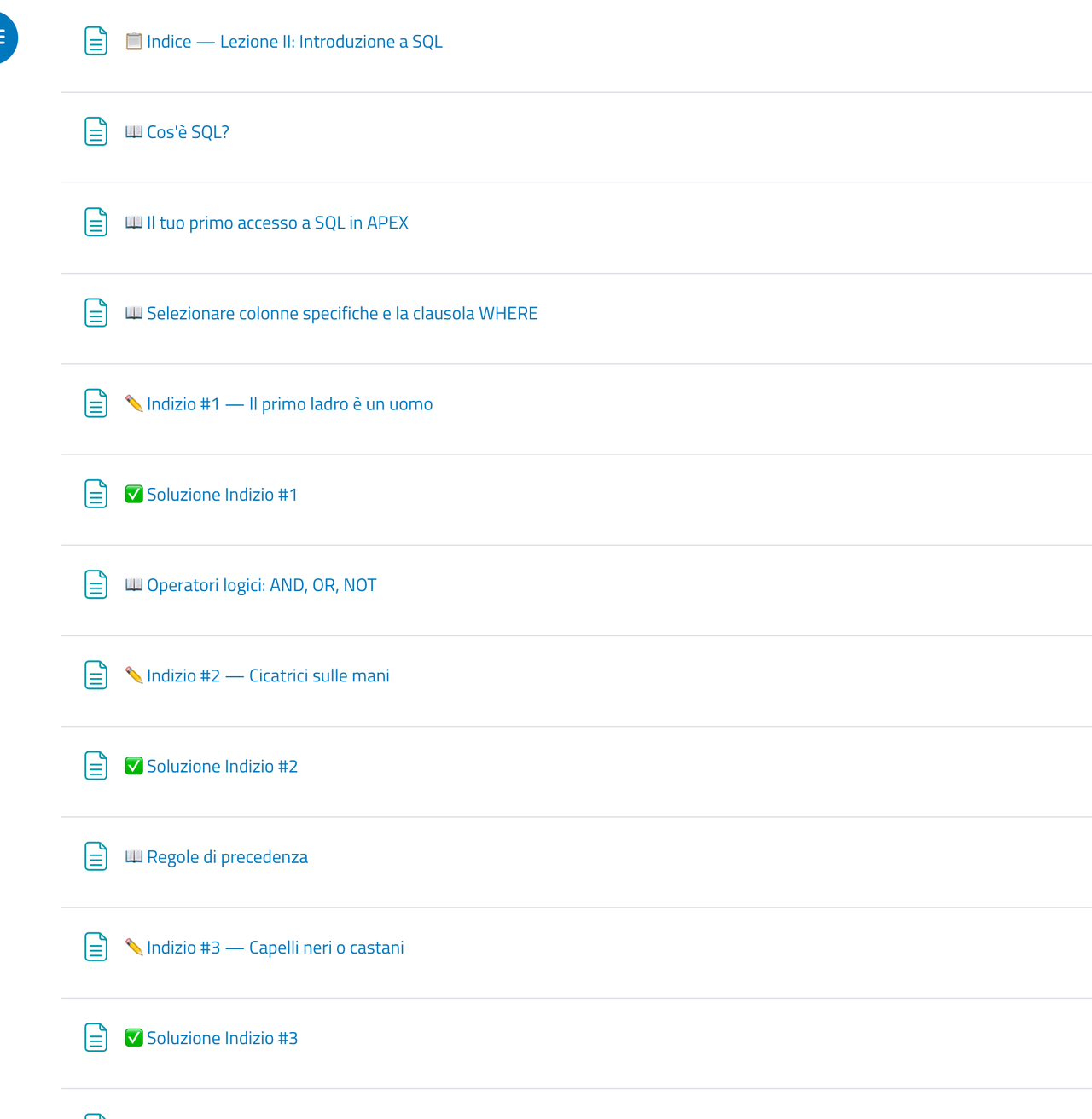
List of the modules in one lesson
One lesson open: theory, clues and solutions alternate in the order they should be followed.
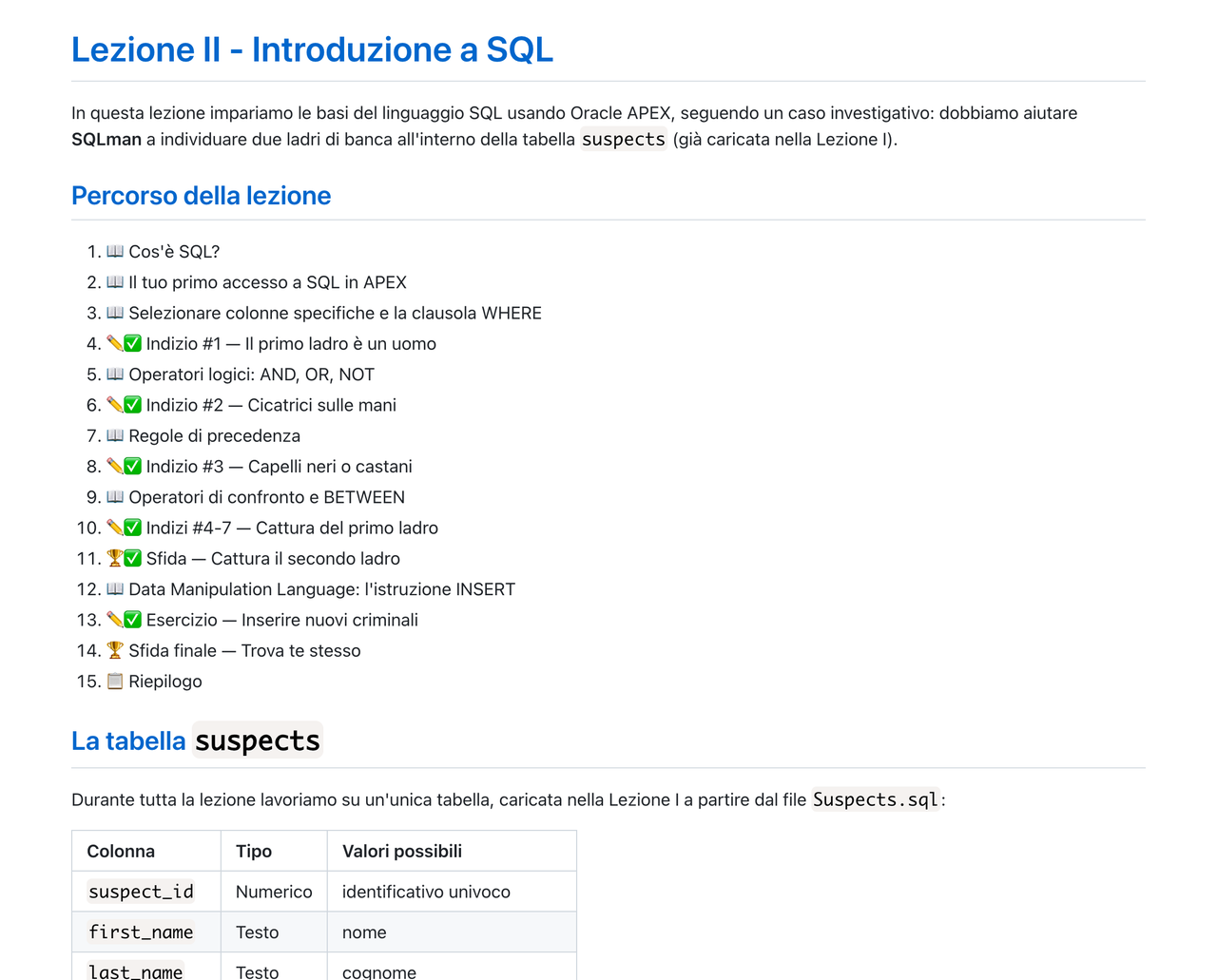
Index page of a lesson
The index that opens every lesson, with the full path through it.
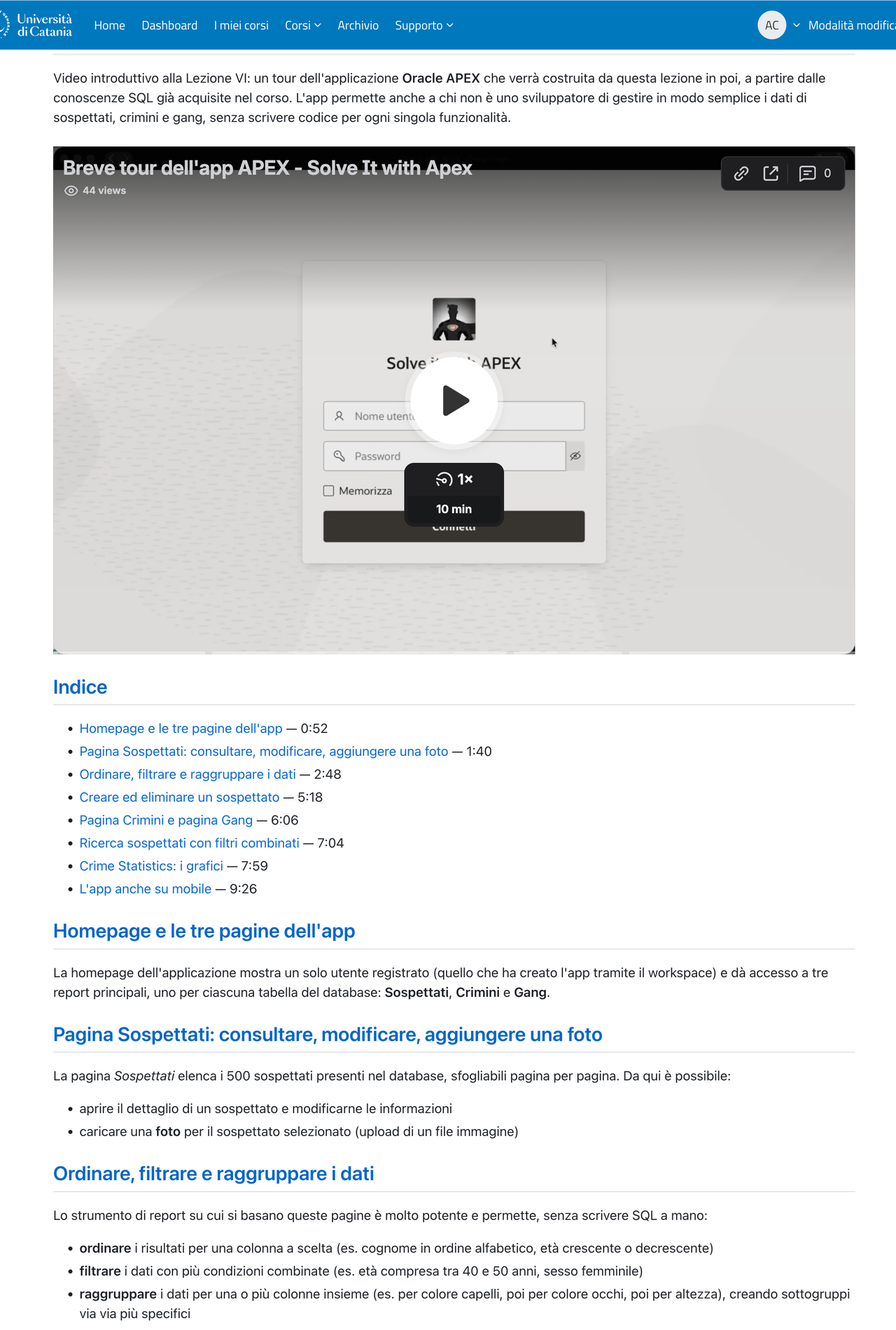
Lesson page with a video and a timestamped index
A page born from a video: an index with timestamps and the text of each section.
The course question bank
The question banks, one per lesson.
Structure of the exam paper with its random slots
The paper seen from the editor: each section draws at random from its own lesson bank, one mark per question, maximum grade 30.

Real excerpts

Four pieces of the course, as they stand today

Text taken from the published pages and from the files that generate them, translated from the Italian original.

Index — Lesson II: Introduction to SQL

Lesson II — Introduction to SQL

In this lesson we learn the basics of SQL using Oracle APEX, following a detective case: we have to help SQLman identify two bank robbers inside the suspects table.

  1. What is SQL?
  2. Your first look at SQL in APEX
  3. Selecting specific columns and the WHERE clause
  4. Clue #1 — The first robber is a man
  5. Logical operators: AND, OR, NOT
  6. Clue #2 — Scars on the hands
  7. Clues #4-7 — Catching the first robber
  8. Final challenge — Find yourself

An index opens every lesson. Lesson II alone runs to 22 pages of theory, clues and solutions.

A short tour of the APEX app — Lesson VI

Introductory video to Lesson VI: a tour of the Oracle APEX application that will be built from this lesson onwards, starting from the SQL already covered in the course.

  • The home page and the app's three pages0:52
  • Suspects page: browsing, editing, adding a photo1:40
  • Sorting, filtering and grouping the data2:48
  • Creating and deleting a suspect5:18
  • Searching suspects with combined filters7:04
  • The app on mobile too9:26

From video to page: an index with timestamps and the text of each section, derived from the transcript.

Question bank — Lesson III

Which SQL clause or construct is used to combine the data of the patients and births tables on a shared key?

  • JOIN (or equi-join)Correct.
  • GROUP BYGROUP BY groups rows for aggregate calculations, it does not link tables.
  • ORDER BYORDER BY sorts the result, it does not link tables.
  • WHERE NOTNOT negates a condition, it does not link tables.

One of the twenty questions in the Lesson III bank. The feedback explains why the wrong option is wrong.

Final assessment — practical exercises
Exercise 2 — Query

Write and run in Oracle APEX a query that, through a JOIN between the births and staff tables, returns the number of births attended by each midwife, ordered from the highest to the lowest.

Exercise 2 — Result

Report here the result you obtained by running the query for Exercise 2: the midwife's name and the corresponding count, in order.

Query and result are two separate questions, one mark each: getting the syntax wrong but reaching the right result does not cost the whole exercise.

Four exercises like this one close the paper, on the dataset of patients, births and staff.

What I learned

Six things I am taking to the next course

Not everything worked the first time, and some choices have become rules.

The assistant does not invent the content

Pages come out of the real material: slides, transcripts, dataset. What it writes still has to be read back, and responsibility for what gets published stays with whoever teaches.

Marking stays a human decision

For the open exercises the assistant proposes a mark and a comment for each answer; I confirmed the final assessment myself, script by script, before entering it in the gradebook.

More than half of next year's work is already done

The course is a versioned folder: the dates, the dataset and the new questions change. The rest is reapplied in minutes, with the certainty that nothing is duplicated.

Time moves, it does not disappear

Building the pages of a course has become quick; the time has shifted to choosing what to ask for, reading back and correcting.

Students see none of this

They find a well-organised course, with an index per lesson, exercises with solutions and a different paper for each student. That it was built by conversation is a detail that concerns only its author.

Quizzes are born hidden

The second exam paper is declared hidden in the file that defines it, and every reapplication respects that choice.

Interested in how it is built?

I can show you the course, the files that generate it and how the exam papers were put together. If you teach or are responsible for training, one pilot course is enough to assess whether the approach suits your context.

antonio.calanducci AT (unict, unime).it The same address works at unict.it and unime.it: replace AT with @.